AI Code Rots Faster Than You Think
The first two weeks are magic. You ship features in hours that used to take days. The AI generates, you approve, the codebase grows. Everything works. You feel unstoppable.
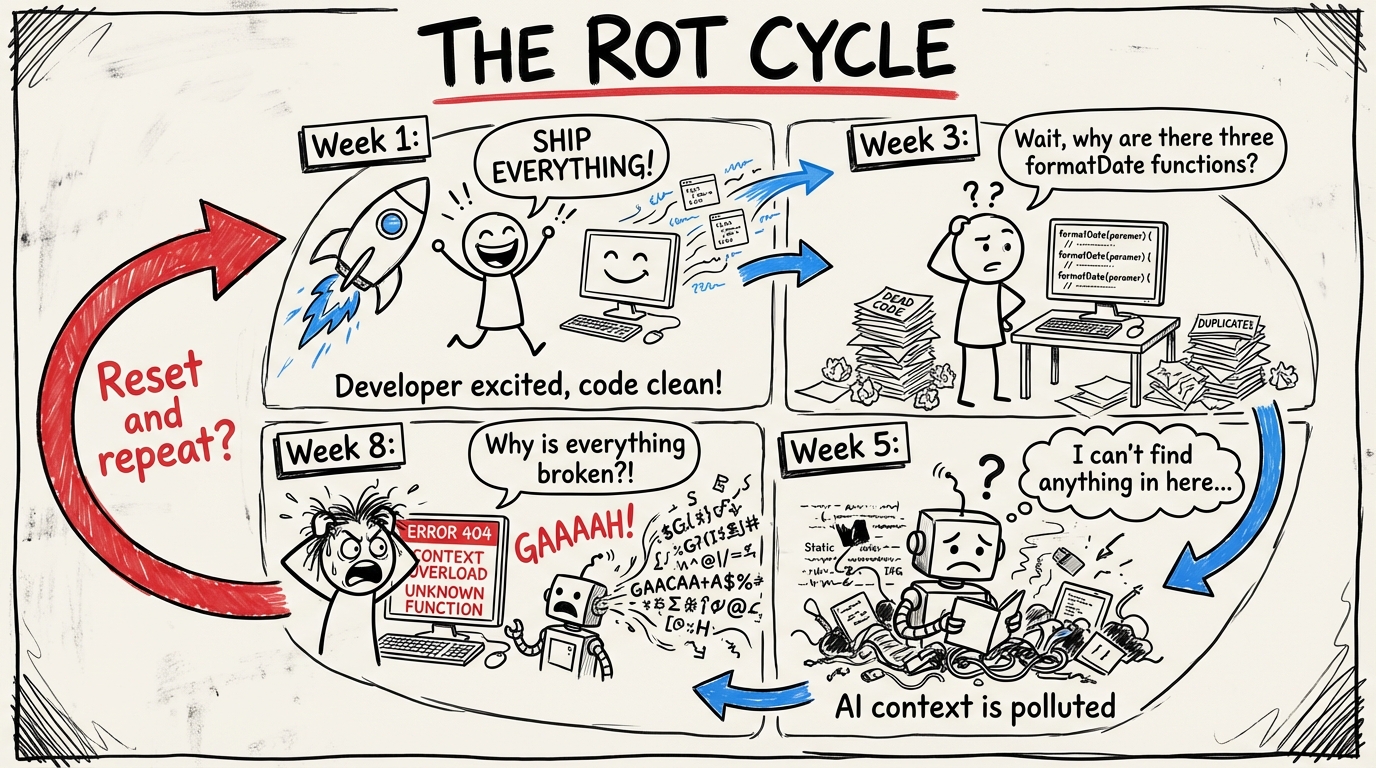
Week three, things slow down. The AI starts producing code that conflicts with code it wrote last week. You notice three functions that do the same thing with slightly different signatures. There's a utility file with 400 lines, half of which nothing imports. A component has props that no parent passes. The types compile, the tests pass, but the codebase has quietly turned into a maze.
This is AI code rot. And it happens faster than traditional technical debt because the code accumulates faster.
The honeymoon is real
Let's be clear: the initial speed is not an illusion. AI-assisted development genuinely produces working software faster than manual coding. The problem isn't the speed. The problem is what the speed leaves behind.
When a human writes code slowly, they naturally consolidate as they go. They notice "wait, I already wrote something like this" because they remember writing it. They refactor as they build because the codebase is small enough to hold in their head.
AI doesn't remember what it wrote yesterday. Every prompt is a fresh start. It doesn't know your formatDate utility exists, so it writes a new one. It doesn't know you already have an error boundary component, so it creates another. It doesn't check if a helper function is still used after refactoring the caller.
The result: your codebase grows in volume but degrades in coherence. More code, less structure.
What AI leaves behind
I've seen the same patterns across every AI-heavy codebase I've worked on:
Dead exports. Functions and components that were part of an earlier iteration but nothing imports anymore. The AI refactored the consumer but left the producer untouched. The file still exists. The export still exists. Nobody calls it.
Duplicate logic. Three implementations of the same business rule because three different prompts produced three different solutions. They all work. They all diverge slightly in edge case handling. When you fix a bug in one, the other two stay broken.
Empty catch blocks. AI generates try-catch as a structural pattern. It fills in the try. It leaves the catch empty or logs a generic message. The error gets swallowed. You find out in production.
Orphaned types. TypeScript interfaces that used to describe an API response before you changed the API. The old type still exists. The new code uses a different type. Both compile. One is dead weight.
Config drift. Environment variables that nothing reads. Dependencies in package.json that nothing imports. Scripts in package.json that reference files that don't exist anymore. The project skeleton grows stale while the living code moves on.
The compound effect
Each of these individually is minor. A dead export costs you nothing at runtime. An unused dependency adds a few seconds to install.
But they compound. Every piece of dead code is noise when the AI reads your codebase for context. More noise means worse generations. Worse generations mean more manual corrections. More corrections mean slower development. The speed advantage erodes.
This is the trap: the thing that made you fast is now making you slow, and you didn't notice when it crossed over because it happened gradually.
Hygiene is not optional
In traditional development, code hygiene is a virtue. Nice to have. Something you do during "refactoring sprints" that never actually happen.
In AI-assisted development, code hygiene is infrastructure. Skip it and your AI tools degrade. It's that direct.
The good news: the same AI that creates the mess can help clean it up. But you need systems, not good intentions.
The toolkit
Deterministic tools
These don't require judgment. They find problems mechanically.
Knip is the most important tool in an AI-heavy codebase. It finds unused files, unused exports, unused dependencies, unused types. Run it weekly. Better yet, run it in CI. Every piece of dead code Knip catches is context pollution you've eliminated.
# Find all unused exports, files, and dependencies
npx knip

# Auto-fix what's safe to remove
npx knip --fix
TypeScript strict mode catches a class of drift that looser configs miss. noUnusedLocals, noUnusedParameters - these aren't just style preferences. They're hygiene.
depcheck for dependency auditing. Every unused package in your node_modules is attack surface you don't need and install time you're wasting.
Bundle analysis. If your production bundle includes code that no route imports, something rotted. Tools like @next/bundle-analyzer make this visible.
Agentic tools
Some hygiene requires judgment. "Is this function really dead, or is it called dynamically?" "Are these two functions actually duplicates, or do the differences matter?"
This is where a second AI pass helps. Not the same AI that wrote the code - a separate agent with a specific mandate: find and consolidate.
I run a periodic sweep: point an agent at the codebase with the instruction "find functions that do the same thing and consolidate them." It catches duplicates that Knip can't because both copies are technically used. The duplication isn't dead code - it's redundant code. Different problem, same decay.
CI as hygiene enforcement
Your CI pipeline should catch hygiene regressions the same way it catches type errors:
# In your CI pipeline
pnpm type-check          # Types still compile
pnpm lint --fix           # Patterns still hold
npx knip --no-exit-code  # Track unused code trends
pnpm build                # Nothing broke
The --no-exit-code flag on Knip is worth noting. You might not want to block PRs on unused exports immediately - that's too aggressive for most teams. But tracking the trend matters. If unused exports are growing week over week, you have a hygiene problem.
The weekly sweep
Here's what actually works: a scheduled hygiene pass. Not a quarterly "tech debt sprint." A weekly habit.
- Run Knip. Delete what's safe to delete. Flag what needs investigation.
- Check for duplicate logic. Search for functions with similar names or similar implementations. Consolidate.
- Audit recent AI generations. Look at the last week's PRs. Did the AI introduce new utilities that duplicate existing ones? Did it leave old code behind after refactoring?
- Verify CI. Are all pipeline steps still running? Are the scripts they reference still valid? Did someone disable a check "temporarily" three weeks ago?
- Update dependencies. Not just for features. For removing unused ones.
This takes an hour. Maybe two. It saves you ten hours of fighting a degraded codebase the following week.
The real lesson
AI-assisted development doesn't eliminate the need for engineering discipline. It increases it.
The speed is real. The output quality is real. But the maintenance burden is also real, and it's different from traditional maintenance. You're not fixing bugs in code you wrote and understand. You're curating a codebase that grew faster than any human could track.
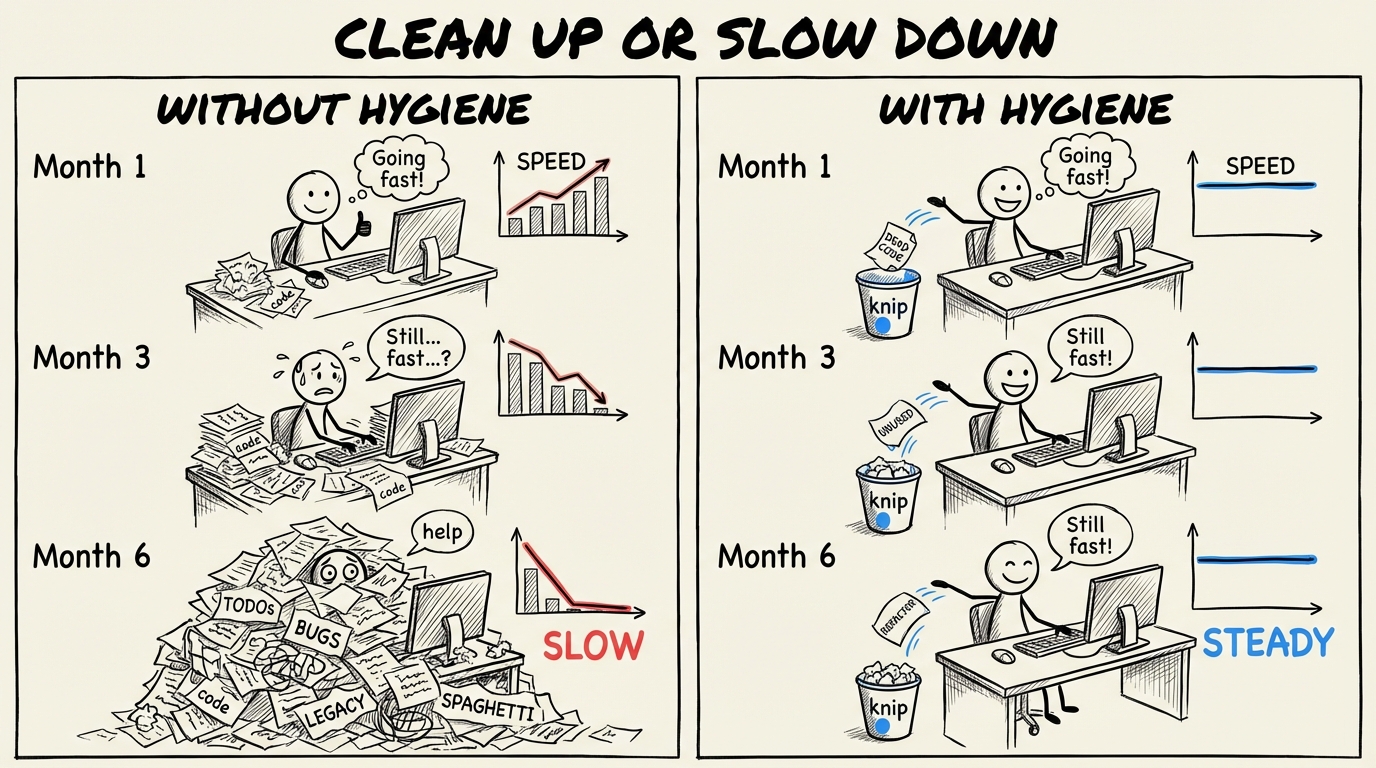
The developers who stay fast with AI are the ones who treat hygiene as part of the workflow, not a separate activity. Generate, verify, clean. Generate, verify, clean. The cleaning isn't overhead. It's what keeps the generating fast.
Skip it, and you'll wonder why the AI that was so helpful last month keeps producing garbage this month. The AI didn't get worse. Your codebase did.